Some utilities for SQL, let's hope you never need to use the Microsoft Kerberos Configuration Manager.
Free SQL Tools
https://www.sqlshack.com/free-sql-tools/
Searching Github for awesome always brings up some great lists.
Awesome SQL Tools
https://github.com/danhuss/awesome-sql
Awesome BI Tools
https://github.com/thenaturalist/awesome-business-intelligence
Awesome Databases
https://github.com/agarcialeon/awesome-database
And the greatest is.... Konstantin Ktaranov's SQL Server Kit
https://github.com/ktaranov/sqlserver-kit
Monday, August 19, 2019


Thursday, June 13, 2019
Windows 10 Update Black Screen of No Return
I managed to recover from a black screen after login issue with the Windows 10 April 2018 update. Here's some of the troubleshooting steps taken to apply a later update to fix it.
1. unplug the 3 Saitek AV8R joysticks I bought last weekend from a yard sale for $8. Didn't help!
2. login to a black screen with cursor.
3. ctrl-alt-del and open task manager
4. start - run - control panel
5. uninstall AVG Antivirus
6. start - run - chrome
7. search for Windows 10 upgrade
8. download Windows10Upgrade9252.exe from Microsoft
9. install Windows Build version 1903 18362.175.
https://www.windowscentral.com/how-download-and-install-windows-10-cumulative-updates-manually
https://www.drivethelife.com/windows-10/windows-10-black-screen-after-creators-update.html
After a couple hours the machine is logging in. Still unclear about stability. List Windows Update shows I have no updates available. System Restore was turned off, so turned it back on and created a restore point.
Diagnosing:
From Task Manager, I ran eventvwr to get the latest events. There was an error with AVG and and fault in Explorer.exe after the previous update which seemed to indicate the virus scanner may have blocked the update. Start - Run - Explorer usually brings back the start menu - this time it was faulting on LiveTile.dll. Sfc /scannow from an administrator prompt did absolutely nothing.
There are still some issues. Checking eventvwr and selecting filter-events crashes the snapin.
The process cannot access the file 'C:\ProgramData\Microsoft\Event Viewer\Views\View_0.xml' because it is being used by another process.
The link below helps to fix this. In my case I just renamed the 2 views_*.xml files to views_*.xml.bk
https://www.ghacks.net/2019/06/12/windows-10-event-viewer-error-after-installing-kb4503293-and-kb4503327/
At least I'm only a few days behind everyone else now.
1. unplug the 3 Saitek AV8R joysticks I bought last weekend from a yard sale for $8. Didn't help!
2. login to a black screen with cursor.
3. ctrl-alt-del and open task manager
4. start - run - control panel
5. uninstall AVG Antivirus
6. start - run - chrome
7. search for Windows 10 upgrade
8. download Windows10Upgrade9252.exe from Microsoft
9. install Windows Build version 1903 18362.175.
https://www.windowscentral.com/how-download-and-install-windows-10-cumulative-updates-manually
https://www.drivethelife.com/windows-10/windows-10-black-screen-after-creators-update.html
After a couple hours the machine is logging in. Still unclear about stability. List Windows Update shows I have no updates available. System Restore was turned off, so turned it back on and created a restore point.
Diagnosing:
From Task Manager, I ran eventvwr to get the latest events. There was an error with AVG and and fault in Explorer.exe after the previous update which seemed to indicate the virus scanner may have blocked the update. Start - Run - Explorer usually brings back the start menu - this time it was faulting on LiveTile.dll. Sfc /scannow from an administrator prompt did absolutely nothing.
There are still some issues. Checking eventvwr and selecting filter-events crashes the snapin.
The process cannot access the file 'C:\ProgramData\Microsoft\Event Viewer\Views\View_0.xml' because it is being used by another process.
The link below helps to fix this. In my case I just renamed the 2 views_*.xml files to views_*.xml.bk
https://www.ghacks.net/2019/06/12/windows-10-event-viewer-error-after-installing-kb4503293-and-kb4503327/
At least I'm only a few days behind everyone else now.
Monday, May 14, 2018
Fixing OneNote 2013 Mouse Clicks
Microsoft tools are often intertwined with the Tools - Internet Options settings in Internet Explorer. Oddly enough, a Windows 10 or OneNote update caused OneNote 2013 to prevent mouse clicks inside a note. Right-clicking wouldn't work either.
The fix? Tools - Internet Options - Connections - LAN Settings - Turn off Automatically Configure Settings, Turn on Use Automatic Configuration Script, hit ok.
Worked immediately for me.
The fix? Tools - Internet Options - Connections - LAN Settings - Turn off Automatically Configure Settings, Turn on Use Automatic Configuration Script, hit ok.
Worked immediately for me.
Friday, October 21, 2016
Cron Scheduling and Nano Services in Open Source Azure Functions
There are many ways to schedule jobs in Azure. An interesting and fairly simple one available is to use Azure Functions, a lil' brudder of WebJobs. For up to 1 million 1 second functions, there is no cost. You can schedule a job function in Bash, C#, F#, NodeJs, Python, Java, etc.
https://azure.microsoft.com/en-us/documentation/articles/functions-bindings-timer/
Example json for a function. http://www.crontab-generator.org/ for those who have not mastered the art of reading job schedules in Cron, this will run at 3:25am UTC every Monday - Friday.
In this case, your "crontab" or cron table part of the JSON formatted job definition.
https://azure.microsoft.com/en-us/documentation/articles/functions-scenario-database-table-cleanup/
Another example is an event-based trigger coming from an Event Hub, or Blob Storage based trigger coming from a blob, table, queue, or file drop.
Once a function has been created, you can test or run the function with cURL by copying the Function Url.
https://azure.microsoft.com/en-us/documentation/articles/functions-test-a-function/
The code is in GitHub, packaged as the Azure Webjobs SDK Script.
https://github.com/azure/azure-webjobs-sdk-script
Announced at Build 2016, Some facts on Azure Functions from MSFT Playground
https://msftplayground.com/2016/05/facts-azure-functions/
Do you use Azure Web Jobs or the new Functions Preview?
https://blog.kloud.com.au/2016/09/14/azure-functions-or-webjobs/
Functions Reference
https://azure.microsoft.com/en-us/documentation/articles/functions-reference/
Functions with Logic Apps
https://azure.microsoft.com/en-us/documentation/articles/app-service-logic-azure-functions/
Continuous Deployment
https://azure.microsoft.com/en-us/documentation/articles/functions-continuous-deployment/
https://azure.microsoft.com/en-us/documentation/articles/functions-bindings-timer/
Example json for a function. http://www.crontab-generator.org/ for those who have not mastered the art of reading job schedules in Cron, this will run at 3:25am UTC every Monday - Friday.
In this case, your "crontab" or cron table part of the JSON formatted job definition.
{
  "bindings": [
    {
      "schedule": "25 3 * * 1-5",
      "name": "nightlyReports",
      "type": "timerTrigger",
      "direction": "in"
    }
  ],
  "disabled": false
}
This is the function example to log the timer event.
public static void Run(TimerInfo myTimer, TraceWriter log)
{
    log.Info($"C# Timer trigger function executed at: {DateTime.Now}");
}
If your job is to execute a SQL stored procedure such as an SSIS proc to kick off an ETL package, or archive / groom data.
https://azure.microsoft.com/en-us/documentation/articles/functions-scenario-database-table-cleanup/
Another example is an event-based trigger coming from an Event Hub, or Blob Storage based trigger coming from a blob, table, queue, or file drop.
Once a function has been created, you can test or run the function with cURL by copying the Function Url.
https://azure.microsoft.com/en-us/documentation/articles/functions-test-a-function/
The code is in GitHub, packaged as the Azure Webjobs SDK Script.
https://github.com/azure/azure-webjobs-sdk-script
Announced at Build 2016, Some facts on Azure Functions from MSFT Playground
https://msftplayground.com/2016/05/facts-azure-functions/
Do you use Azure Web Jobs or the new Functions Preview?
https://blog.kloud.com.au/2016/09/14/azure-functions-or-webjobs/
Functions Reference
https://azure.microsoft.com/en-us/documentation/articles/functions-reference/
Functions with Logic Apps
https://azure.microsoft.com/en-us/documentation/articles/app-service-logic-azure-functions/
Continuous Deployment
https://azure.microsoft.com/en-us/documentation/articles/functions-continuous-deployment/
Wednesday, October 19, 2016
Machine Learning with R and SQL 2016 / RevoR + Open Source MSFT
Ginger Grant, Data Platform MVP discusses Machine Learning with R and some Custom Reports for SQL 2016 R Services.
Everything that exists is an object.
Everything that happens is a function call.
-- John Chambers, Advanced R
Microsoft Open R is the enhanced distribution of R, which provides the ability to create your own enterprise MiniCRAN, reproduce results between package version snapshots, parallelism/multithreading, and is portable across Windows, Linux, and OSX. Enterprise is constantly looking for stability, and https://mran.microsoft.com/faq/#change-repos provides this with fixed snapshots across all OpenR users.
RStudio hopped on the Jupyter Notebook bandwagon a couple months ago.
http://rmarkdown.rstudio.com/r_notebooks.html
In 2017, we will have SQL Server 2016 with Microsoft OpenR and R Notebooks, running on Red Hat Enterprise Linux along with Hortonworks HDP...
Getting Started with PHP 7 SQL Server and Azure SQL Database on Linix Ubuntu with Apache
And something completely unrelated, perhaps useful, Yet Another Network Tester, with multithreading and CPU affinity.
https://github.com/Microsoft/ntttcp-for-linux
https://gallery.technet.microsoft.com/NTttcp-Version-528-Now-f8b12769
Everything that exists is an object.
Everything that happens is a function call.
-- John Chambers, Advanced R
Microsoft Open R is the enhanced distribution of R, which provides the ability to create your own enterprise MiniCRAN, reproduce results between package version snapshots, parallelism/multithreading, and is portable across Windows, Linux, and OSX. Enterprise is constantly looking for stability, and https://mran.microsoft.com/faq/#change-repos provides this with fixed snapshots across all OpenR users.
RStudio hopped on the Jupyter Notebook bandwagon a couple months ago.
http://rmarkdown.rstudio.com/r_notebooks.html
In 2017, we will have SQL Server 2016 with Microsoft OpenR and R Notebooks, running on Red Hat Enterprise Linux along with Hortonworks HDP...
Getting Started with PHP 7 SQL Server and Azure SQL Database on Linix Ubuntu with Apache
And something completely unrelated, perhaps useful, Yet Another Network Tester, with multithreading and CPU affinity.
https://github.com/Microsoft/ntttcp-for-linux
https://gallery.technet.microsoft.com/NTttcp-Version-528-Now-f8b12769
Tuesday, October 18, 2016
Every Microsoft Github on a single page
Microsoft is heavily leveraging GitHub and dogfooding open source code, with thousands of users registered and as of September, 2016 is the most active organization on GitHub, beating out Facebook.
Jeff Wilcox describes their extensive hooks into GitHub and corporate governance around the tool.
https://www.jeff.wilcox.name/2015/11/azure-on-github/
It is a great use case and set of patterns for Azure, available as an open-source framework for Enterprise GitHub.
Here's the repo activity over the last few years, courtesy of MSFTgits.
https://github.com/msftgits?tab=overview&from=2014-12-01&to=2014-12-31&utf8=%E2%9C%93
And a list of some of their public repos below. The first package I clicked on randomly was, coincidentally a package I am interested in.
R Package for managing a selection of Azure resources. Targeted at Data Scientists who need to control Azure Resources within an R session without needing to bother Administrators.
https://github.com/Microsoft/AzureSMR
GitHub is an awesome place for data mining and analytics.
Azure-Samples/MyDriving
contoso-a/CreateRepo3254671651222201555528AM
contoso-a/Test_GitHubNotifications
contoso-a/Test_ManageRepos_OrgOwner_Contoso-b
contoso-a/Test_repo_PPE
contoso-a/Test_RepoCreation_RepoOwner
contoso-a/Test_RepoTest-
contoso-a/Test_Tokens123
contoso-a/Test-repo1
contoso-a/test-repo-TCD
ContosoDev/simple-repo
ContosoTest/test-repo
contoso-x-production/Test_MaxteamList
contoso-x-production/Test_repo_Firefox_24J
contoso-x-production/Test_Repo_J23_addedcategory
contoso-x-production/Test_Repo_Public_github_Rename
contoso-x-production/Test_Repos1
contoso-x-production/test_team
contoso-x-production/Test_Team_Check_in-Github
contoso-x-production/test-test3
Microsoft/AADConnectConfigDocumenter
Microsoft/AdventureWorksSkiApp
Microsoft/Angara.Chart
Microsoft/Angara.Flow
Microsoft/Angara.Serialization
Microsoft/Angara.Statistics
Microsoft/Angara.Table
Microsoft/api-guidelines
Microsoft/AppDevXbox
Microsoft/ApplicationInsights-Announcements
Microsoft/ApplicationInsights-dotnet-logging
Microsoft/ApplicationInsights-dotnet-server
Microsoft/Appsample-Photosharing
Microsoft/app-store-vsts-extension
Microsoft/aspnet-api-versioning
Microsoft/ATADocs
Microsoft/ATADocs.cs-cz
Microsoft/ATADocs.de-de
Microsoft/ATADocs.es-es
Microsoft/ATADocs.fr-fr
Microsoft/ATADocs.hu-hu
Microsoft/ATADocs.it-it
Microsoft/ATADocs.ja-jp
Microsoft/ATADocs.ko-kr
Microsoft/ATADocs.nl-nl
Microsoft/ATADocs.pl-pl
Microsoft/ATADocs.pt-br
Microsoft/ATADocs.pt-pt
Microsoft/ATADocs.ru-ru
Microsoft/ATADocs.sv-se
Microsoft/ATADocs.tr-tr
Microsoft/ATADocs.zh-cn
Microsoft/ATADocs.zh-tw
Microsoft/Availability-Monitor-for-Kafka
Microsoft/AZRDAV
Microsoft/azure-acs-plugin
Microsoft/azure-media-redactor-visualizer
Microsoft/azure-mobile-apps-with-ionic
Microsoft/Azure-RMSDocs
Microsoft/Azure-RMSDocs.cs-cz
Microsoft/Azure-RMSDocs.de-de
Microsoft/Azure-RMSDocs.es-es
Microsoft/Azure-RMSDocs.fr-fr
Microsoft/Azure-RMSDocs.hu-hu
Microsoft/Azure-RMSDocs.it-it
Microsoft/Azure-RMSDocs.ja-jp
Microsoft/Azure-RMSDocs.ko-kr
Microsoft/Azure-RMSDocs.nl-nl
Microsoft/Azure-RMSDocs.pl-pl
Microsoft/Azure-RMSDocs.pt-br
Microsoft/Azure-RMSDocs.pt-pt
Microsoft/Azure-RMSDocs.ru-ru
Microsoft/Azure-RMSDocs.sv-se
Microsoft/Azure-RMSDocs.tr-tr
Microsoft/Azure-RMSDocs.zh-cn
Microsoft/Azure-RMSDocs.zh-tw
Microsoft/azure-shortcuts-for-java
Microsoft/AzureSMR
Microsoft/Azure-SQL-DB-auditing-OMS-integration
Microsoft/azure-sql-security-sample
Microsoft/Azure-Toolkit-for-IntelliJ
Microsoft/azure-tools-for-java
Microsoft/AzureUsageAndBillingPortal
Microsoft/azure-vhd-utils
Microsoft/backbone-toolbar
Microsoft/backbone-virtualized-listview
Microsoft/Bing-Maps-V8-TypeScript-Definitions
Microsoft/binskim
Microsoft/bond-comm-cs-example
Microsoft/build2016-vsmobile
Microsoft/Business-platform-solution-templates
Microsoft/c3p
Microsoft/cci
Microsoft/cci
Microsoft/ChakraCore-wiki
Microsoft/checkedc
Microsoft/checkedc-clang
Microsoft/checkedc-llvm
Microsoft/Cloud-App-Security
Microsoft/Cluster-Partition-Rebalancer-For-Kafka
Microsoft/code-push-vsts-extension
Microsoft/Code-Search
Microsoft/Coding4Fun
Microsoft/Cognitive-Common-Windows
Microsoft/Cognitive-Documentation
Microsoft/Cognitive-Emotion-Android
Microsoft/Cognitive-Emotion-Python
Microsoft/Cognitive-Emotion-Windows
Microsoft/Cognitive-EntityLinking-Windows
Microsoft/Cognitive-Face-Android
Microsoft/Cognitive-Face-iOS
Microsoft/Cognitive-Face-Python
Microsoft/Cognitive-Face-Windows
Microsoft/Cognitive-LinguisticAnalysis-Windows
Microsoft/Cognitive-LUIS-Android
Microsoft/Cognitive-LUIS-Node.js
Microsoft/Cognitive-LUIS-Python
Microsoft/Cognitive-LUIS-Windows
Microsoft/Cognitive-Recommendations-Windows
Microsoft/Cognitive-Samples-FootnoteBot
Microsoft/Cognitive-Samples-IntelligentKiosk
Microsoft/Cognitive-Samples-VideoFrameAnalysis
Microsoft/Cognitive-SpeakerRecognition-Android
Microsoft/Cognitive-SpeakerRecognition-Python
Microsoft/Cognitive-SpeakerRecognition-Windows
Microsoft/Cognitive-Speech-STT-Android
Microsoft/Cognitive-Speech-STT-iOS
Microsoft/Cognitive-Speech-STT-JavaScript
Microsoft/Cognitive-Speech-STT-Windows
Microsoft/Cognitive-Speech-TTS
Microsoft/Cognitive-TextAnalytics-Android
Microsoft/Cognitive-Video-Windows
Microsoft/Cognitive-Vision-Android
Microsoft/Cognitive-Vision-Python
Microsoft/Cognitive-Vision-Windows
Microsoft/Cognitive-WebLM-Windows
Microsoft/CommandLine-Documentation
Microsoft/companion-device-framework
Microsoft/compoundfilereader
Microsoft/cordova-plugin-code-push
Microsoft/cordova-plugin-vs-taco-support
Microsoft/cordova-university
Microsoft/cortana-samples
Microsoft/cppwinrt
Microsoft/CRM-Performance-Toolkit
Microsoft/CSharpClient-for-Kafka
Microsoft/CSP-Explorer
Microsoft/dafny
Microsoft/dapjs
Microsoft/deep-space
Microsoft/deployr-api-docs
Microsoft/deployr-rserve-java-client
Microsoft/DesktopBridgeToUWP-Samples
Microsoft/DirectXMath
Microsoft/DirectXTK12
Microsoft/distributed_skipgram_mixture
Microsoft/distributed_word_embedding
Microsoft/Docker.DotNet
Microsoft/Docker-PowerShell
Microsoft/DockerToolsDocs
Microsoft/dockertools-sampleprojects
Microsoft/dotnet-computevirtualization
Microsoft/dotnet-computevirtualization
Microsoft/dotnet-reliability
Microsoft/driver-utilities
Microsoft/DSC-data-driven-deployment
Microsoft/dumpling
Microsoft/Dynamics-AX-Extensible-Control-Samples
Microsoft/Dynamics-AX-Integration
Microsoft/Dynamics-AX-Scripts
Microsoft/edge-diagnostics-launch
Microsoft/elfie-arriba
Microsoft/EMDocs
Microsoft/EMDocs.cs-cz
Microsoft/EMDocs.de-de
Microsoft/EMDocs.es-es
Microsoft/EMDocs.fr-fr
Microsoft/EMDocs.hu-hu
Microsoft/EMDocs.it-it
Microsoft/EMDocs.ja-jp
Microsoft/EMDocs.ko-kr
Microsoft/EMDocs.nl-nl
Microsoft/EMDocs.pl-pl
Microsoft/EMDocs.pt-br
Microsoft/EMDocs.pt-pt
Microsoft/EMDocs.ru-ru
Microsoft/EMDocs.sv-se
Microsoft/EMDocs.tr-tr
Microsoft/EMDocs.zh-cn
Microsoft/EMDocs.zh-tw
Microsoft/EventHubData
Microsoft/extension-manifest-editor
Microsoft/fast-binary-indexed-tree-js
Microsoft/FERPlus
Microsoft/FetchClimate
Microsoft/FMLab
Microsoft/fonts
Microsoft/Font-Validator
Microsoft/formula
Microsoft/fsharplu
Microsoft/GalaxyExplorer
Microsoft/generator-docker
Microsoft/Get-ExchangeBuildNumber
Microsoft/GetVSTSBuildUsage
Microsoft/ghinsights
Microsoft/google-play-vsts-extension
Microsoft/GraphEngine
Microsoft/graphics-driver-samples
Microsoft/GraphView
Microsoft/GSL
Microsoft/gulp-core-build
Microsoft/gulp-core-build-karma
Microsoft/gulp-core-build-mocha
Microsoft/gulp-core-build-sass
Microsoft/gulp-core-build-serve
Microsoft/gulp-core-build-typescript
Microsoft/gulp-core-build-webpack
Microsoft/HashCalculator
Microsoft/hdfs-mount
Microsoft/HealthClinic.biz
Microsoft/hermes
Microsoft/HolographicAcademy
Microsoft/HoloLensCompanionKit
Microsoft/HoloLensCompanionKit
Microsoft/HoloLensCompanionKit
Microsoft/HoloToolkit
Microsoft/HoloToolkit-Unity
Microsoft/http-post-message
Microsoft/hummingbird
Microsoft/idevice-app-launcher
Microsoft/Imagine_bee-control
Microsoft/Imagine_binary-break-in
Microsoft/Imagine_bing-maps-api
Microsoft/Imagine_block-knock
Microsoft/Imagine_diamond-miner
Microsoft/Imagine_fudge-roll
Microsoft/Imagine_halo-5-api
Microsoft/Imagine_planetary-pool
Microsoft/Imagine_rocket-launch-sim
Microsoft/Imagine_solar-system-viewer
Microsoft/Imagine_stealthbot
Microsoft/Imagine_street-racing
Microsoft/Imagine_sylvan-sprinter
Microsoft/Instance-Adapter-for-Microsoft-Dynamics-CRM
Microsoft/IntuneDocs
Microsoft/IntuneDocs.cs-cz
Microsoft/IntuneDocs.de-de
Microsoft/IntuneDocs.es-es
Microsoft/IntuneDocs.fr-fr
Microsoft/IntuneDocs.hu-hu
Microsoft/IntuneDocs.it-it
Microsoft/IntuneDocs.ja-jp
Microsoft/IntuneDocs.ko-kr
Microsoft/IntuneDocs.nl-nl
Microsoft/IntuneDocs.pl-pl
Microsoft/IntuneDocs.pt-br
Microsoft/IntuneDocs.pt-pt
Microsoft/IntuneDocs.ru-ru
Microsoft/IntuneDocs.sv-se
Microsoft/IntuneDocs.tr-tr
Microsoft/IntuneDocs.zh-cn
Microsoft/IntuneDocs.zh-tw
Microsoft/ionic2-typescript-blank
Microsoft/ionic2-typescript-sidemenu
Microsoft/ionic2-typescript-tabs
Microsoft/ionic-azure-conference-app
Microsoft/ionic-typescript-blank
Microsoft/ionic-typescript-sidemenu
Microsoft/ionic-typescript-tabs
Microsoft/iot-samples-ted
Microsoft/ivy
Microsoft/JSanity
Microsoft/kafka-proxy-ws
Microsoft/kindscript-microbit-skeleton
Microsoft/knockout-validation
Microsoft/lagscope
Microsoft/language-server-protocol
Microsoft/lightLDA
Microsoft/linkcheckermd
Microsoft/loader-load-themed-styles
Microsoft/loader-raw-script
Microsoft/loader-set-webpack-public-path
Microsoft/load-themed-styles
Microsoft/logstash-output-application-insights
Microsoft/Loop-Sample-Drives-Android
Microsoft/mala
Microsoft/malmo
Microsoft/mattercenter
Microsoft/mcBV
Microsoft/Mesh-processing-library
Microsoft/microbit-chrome
Microsoft/Microsoft-Cloud-Services-for-Android
Microsoft/microsoft-pdb
Microsoft/microsoft-r-content
Microsoft/microsoft-r-open
Microsoft/MIMDocs
Microsoft/MIMDocs.cs-cz
Microsoft/MIMDocs.de-de
Microsoft/MIMDocs.es-es
Microsoft/MIMDocs.fr-fr
Microsoft/MIMDocs.hu-hu
Microsoft/MIMDocs.it-it
Microsoft/MIMDocs.ja-jp
Microsoft/MIMDocs.ko-kr
Microsoft/MIMDocs.nl-nl
Microsoft/MIMDocs.pl-pl
Microsoft/MIMDocs.pt-br
Microsoft/MIMDocs.pt-pt
Microsoft/MIMDocs.ru-ru
Microsoft/MIMDocs.sv-se
Microsoft/MIMDocs.tr-tr
Microsoft/MIMDocs.zh-cn
Microsoft/MIMDocs.zh-tw
Microsoft/MIMPowerShellConnectors
Microsoft/MIMWAL
Microsoft/Mobius
Microsoft/monaco-css
Microsoft/monaco-editor
Microsoft/monaco-editor-samples
Microsoft/monaco-html
Microsoft/monaco-json
Microsoft/monaco-languages
Microsoft/monaco-typescript
Microsoft/msdn-content
Microsoft/MSITARM
Microsoft/MSITARM1
Microsoft/MsUEFI-Test
Microsoft/MTMBuddy
Microsoft/multiverso
Microsoft/node-fast-plist
Microsoft/node-jsonc-parser
Microsoft/node-library-build
Microsoft/node-request-light
Microsoft/ntttcp-for-linux
Microsoft/ODBC-Specification
Microsoft/Office365APIEditor
Microsoft/Office-js-docs_de-de
Microsoft/Office-js-docs_es-es
Microsoft/Office-js-docs_fr-fr
Microsoft/Office-js-docs_ja-jp
Microsoft/Office-js-docs_pt-br
Microsoft/Office-js-docs_ru-ru
Microsoft/Office-js-docs_zh-cn
Microsoft/Office-js-docs_zh-tw
Microsoft/openscraping-lib-csharp
Microsoft/OTP4LTE-U
Microsoft/pagination-control
Microsoft/Partner-app-development
Microsoft/Partner-Center-Explorer
Microsoft/pgtester
Microsoft/Phoenix
Microsoft/PhyloD
Microsoft/pict
Microsoft/PowerBI-Angular
Microsoft/PowerBI-Cli
Microsoft/PowerBI-CSharp
Microsoft/PowerBI-Ember
Microsoft/PowerBI-extensibility-text-utility
Microsoft/PowerBI-JavaScript
Microsoft/PowerBI-JQuery
Microsoft/powerbi-models
Microsoft/PowerBI-Node
Microsoft/PowerBI-React
Microsoft/powerbi-router
Microsoft/Power-BI-Solution-Template
Microsoft/PowerBI-visuals
Microsoft/PowerBI-visuals-bankingForTheBlind
Microsoft/PowerBI-visuals-sampleBarChart
Microsoft/PowerBI-visuals-tools
Microsoft/process-customization-scripts
Microsoft/projection-grid
Microsoft/ProjectOxford-Apps-MimickerAlarm
Microsoft/ProjectOxford-ClientSDK
Microsoft/prose
Microsoft/ProtocolTestFramework
Microsoft/pxt
Microsoft/pxt-arduino
Microsoft/pxt-arduino-core
Microsoft/pxt-calliope
Microsoft/pxt-i2c-fram
Microsoft/pxt-max6675
Microsoft/pxt-microbit
Microsoft/pxt-microbit-core
Microsoft/pxt-microbit-cppsample
Microsoft/pxt-monaco-typescript
Microsoft/pxt-neopixel
Microsoft/pxt-rpi
Microsoft/pxt-sample
Microsoft/pxt-sonar
Microsoft/pxt-windowsiot
Microsoft/Pyjion
Microsoft/qCards
Microsoft/Range-V3-VS2015
Microsoft/remotebuild
Microsoft/Reporting-Services
Microsoft/RESX-Unused-Finder
Microsoft/RetryOperationHelper
Microsoft/Rosyln-Analyzer-ToStringWithoutOverride
Microsoft/RServer-for-HDInsight-example-CriteoDataSet
Microsoft/RTVS-docs
Microsoft/sails-hook-federalist-ms
Microsoft/sarif-sdk
Microsoft/satcheljs
Microsoft/satcheljs-react-devtools
Microsoft/satcheljs-snapshots
Microsoft/satcheljs-stitch
Microsoft/satcheljs-todomvc
Microsoft/satcheljs-trace
Microsoft/SDLAnalyze
Microsoft/SDN
Microsoft/Selawik
Microsoft/sesopen
Microsoft/SimpleStubs
Microsoft/SkypeBotsWithMedia
Microsoft/SLAyer
Microsoft/sqlite-tracer
Microsoft/SQL-Server-R-Services-Samples
Microsoft/sql-server-samples
Microsoft/sqlskim
Microsoft/Static-Module-Verifier
Microsoft/staticstaging
Microsoft/StopGuessing
Microsoft/taco-cli
Microsoft/taco-plugin-devicesync
Microsoft/taco-team-build
Microsoft/team-explorer-everywhere
Microsoft/techcasestudies
Microsoft/thrifty
Microsoft/TouchDevelop-backend
Microsoft/TPM-2.0-Parser
Microsoft/TpmRCDecoder
Microsoft/TSS.MSR
Microsoft/TVHelpers
Microsoft/Typedoc-Webpack-Plugin
Microsoft/unityplugins
Microsoft/UWPCommunityToolkit-docs
Microsoft/UWPQuickStart
Microsoft/vcc
Microsoft/vcpkg
Microsoft/VCSamples
Microsoft/Virtualization-Documentation
Microsoft/Virtualization-Documentation
Microsoft/Visual-Audience-Polling
Microsoft/VisualFileInfo
Microsoft/VisualStudioUninstaller
Microsoft/vscode-chrome-debug
Microsoft/vscode-chrome-debug-core
Microsoft/vscode-chrome-debug-core
Microsoft/vscode-comment
Microsoft/vscode-cordova
Microsoft/vscode-cpptools
Microsoft/vscode-css-languageservice
Microsoft/vscode-docker
Microsoft/vscode-docs
Microsoft/vscode-editorconfig
Microsoft/vscode-eslint
Microsoft/vscode-extension-samples
Microsoft/vscode-extension-vscode
Microsoft/vscode-generator-code
Microsoft/vscode-go
Microsoft/vscode-htmlhint
Microsoft/vscode-html-languageservice
Microsoft/vscode-htmltagwrap
Microsoft/vscode-jshint
Microsoft/vscode-json-languageservice
Microsoft/vscode-languageserver-node
Microsoft/vscode-languageserver-node-example
Microsoft/vscode-LaTeX
Microsoft/vscode-MDTools
Microsoft/vscode-nls
Microsoft/vscode-nls-dev
Microsoft/vscode-node-debug2
Microsoft/vscode-react-native
Microsoft/vscode-samples
Microsoft/vscode-spell-check
Microsoft/vscode-textmate
Microsoft/vscode-themes
Microsoft/vscode-tslint
Microsoft/vscode-uri
Microsoft/vscode-wordcount
Microsoft/vscom
Microsoft/vs-diag-samples
Microsoft/VSLinux
Microsoft/VS-Macros
Microsoft/vso-httpclient-java
Microsoft/vso-intellij
Microsoft/VS-PPT
Microsoft/VSSDK-Extensibility-Templates
Microsoft/vsts-agent-cookbook
Microsoft/vsts-authentication-library-for-java
Microsoft/vsts-bamboo-build-integration-sample
Microsoft/vsts-cloudfoundry
Microsoft/vsts-cordova-tasks
Microsoft/vsts-dockerfiles
Microsoft/vsts-extension-color-control
Microsoft/vsts-extension-integer-control
Microsoft/vsts-extension-toggle-control
Microsoft/vsts-jenkins-build-integration-sample
Microsoft/vsts-nexus
Microsoft/vsts-react-native-tasks
Microsoft/vsts-restapi-samplecode
Microsoft/vsts-urbancode-deploy
Microsoft/vsts-veracode
Microsoft/vsts-vscode
Microsoft/Wagr-Sample-Intune-iOS-App
Microsoft/web-build-tools
Microsoft/web-library-build
Microsoft/WhoisParsers
Microsoft/window-post-message-proxy
Microsoft/Windows-appsample-coloringbook
Microsoft/Windows-appsample-familynotes
Microsoft/Windows-appsample-lunch-scheduler
Microsoft/Windows-appsample-marble-maze
Microsoft/Windows-classic-samples
Microsoft/windows-dev-center-vsts-extension
Microsoft/WindowsDevicePortalWrapper
Microsoft/windows-driver-docs
Microsoft/windows-itpro-docs
Microsoft/WindowsProtocolTestSuites
Microsoft/Windows-Social-Samples
Microsoft/Windows-Time-Calibration-Tools
Microsoft/WinObjC-Samples
Microsoft/wopi-validator-cli-python
Microsoft/WPFDXInterop
Microsoft/ws2016lab
Microsoft/XamarinAzure_ShoppingDemoApp
Microsoft/Xbox-ATG-Samples
Microsoft/XLIFF2-Object-Model
Microsoft/XmlNotepad
Microsoft/Yams
Jeff Wilcox describes their extensive hooks into GitHub and corporate governance around the tool.
https://www.jeff.wilcox.name/2015/11/azure-on-github/
It is a great use case and set of patterns for Azure, available as an open-source framework for Enterprise GitHub.
Here's the repo activity over the last few years, courtesy of MSFTgits.
https://github.com/msftgits?tab=overview&from=2014-12-01&to=2014-12-31&utf8=%E2%9C%93
And a list of some of their public repos below. The first package I clicked on randomly was, coincidentally a package I am interested in.
R Package for managing a selection of Azure resources. Targeted at Data Scientists who need to control Azure Resources within an R session without needing to bother Administrators.
https://github.com/Microsoft/AzureSMR
GitHub is an awesome place for data mining and analytics.
Azure-Samples/MyDriving
contoso-a/CreateRepo3254671651222201555528AM
contoso-a/Test_GitHubNotifications
contoso-a/Test_ManageRepos_OrgOwner_Contoso-b
contoso-a/Test_repo_PPE
contoso-a/Test_RepoCreation_RepoOwner
contoso-a/Test_RepoTest-
contoso-a/Test_Tokens123
contoso-a/Test-repo1
contoso-a/test-repo-TCD
ContosoDev/simple-repo
ContosoTest/test-repo
contoso-x-production/Test_MaxteamList
contoso-x-production/Test_repo_Firefox_24J
contoso-x-production/Test_Repo_J23_addedcategory
contoso-x-production/Test_Repo_Public_github_Rename
contoso-x-production/Test_Repos1
contoso-x-production/test_team
contoso-x-production/Test_Team_Check_in-Github
contoso-x-production/test-test3
Microsoft/AADConnectConfigDocumenter
Microsoft/AdventureWorksSkiApp
Microsoft/Angara.Chart
Microsoft/Angara.Flow
Microsoft/Angara.Serialization
Microsoft/Angara.Statistics
Microsoft/Angara.Table
Microsoft/api-guidelines
Microsoft/AppDevXbox
Microsoft/ApplicationInsights-Announcements
Microsoft/ApplicationInsights-dotnet-logging
Microsoft/ApplicationInsights-dotnet-server
Microsoft/Appsample-Photosharing
Microsoft/app-store-vsts-extension
Microsoft/aspnet-api-versioning
Microsoft/ATADocs
Microsoft/ATADocs.cs-cz
Microsoft/ATADocs.de-de
Microsoft/ATADocs.es-es
Microsoft/ATADocs.fr-fr
Microsoft/ATADocs.hu-hu
Microsoft/ATADocs.it-it
Microsoft/ATADocs.ja-jp
Microsoft/ATADocs.ko-kr
Microsoft/ATADocs.nl-nl
Microsoft/ATADocs.pl-pl
Microsoft/ATADocs.pt-br
Microsoft/ATADocs.pt-pt
Microsoft/ATADocs.ru-ru
Microsoft/ATADocs.sv-se
Microsoft/ATADocs.tr-tr
Microsoft/ATADocs.zh-cn
Microsoft/ATADocs.zh-tw
Microsoft/Availability-Monitor-for-Kafka
Microsoft/AZRDAV
Microsoft/azure-acs-plugin
Microsoft/azure-media-redactor-visualizer
Microsoft/azure-mobile-apps-with-ionic
Microsoft/Azure-RMSDocs
Microsoft/Azure-RMSDocs.cs-cz
Microsoft/Azure-RMSDocs.de-de
Microsoft/Azure-RMSDocs.es-es
Microsoft/Azure-RMSDocs.fr-fr
Microsoft/Azure-RMSDocs.hu-hu
Microsoft/Azure-RMSDocs.it-it
Microsoft/Azure-RMSDocs.ja-jp
Microsoft/Azure-RMSDocs.ko-kr
Microsoft/Azure-RMSDocs.nl-nl
Microsoft/Azure-RMSDocs.pl-pl
Microsoft/Azure-RMSDocs.pt-br
Microsoft/Azure-RMSDocs.pt-pt
Microsoft/Azure-RMSDocs.ru-ru
Microsoft/Azure-RMSDocs.sv-se
Microsoft/Azure-RMSDocs.tr-tr
Microsoft/Azure-RMSDocs.zh-cn
Microsoft/Azure-RMSDocs.zh-tw
Microsoft/azure-shortcuts-for-java
Microsoft/AzureSMR
Microsoft/Azure-SQL-DB-auditing-OMS-integration
Microsoft/azure-sql-security-sample
Microsoft/Azure-Toolkit-for-IntelliJ
Microsoft/azure-tools-for-java
Microsoft/AzureUsageAndBillingPortal
Microsoft/azure-vhd-utils
Microsoft/backbone-toolbar
Microsoft/backbone-virtualized-listview
Microsoft/Bing-Maps-V8-TypeScript-Definitions
Microsoft/binskim
Microsoft/bond-comm-cs-example
Microsoft/build2016-vsmobile
Microsoft/Business-platform-solution-templates
Microsoft/c3p
Microsoft/cci
Microsoft/cci
Microsoft/ChakraCore-wiki
Microsoft/checkedc
Microsoft/checkedc-clang
Microsoft/checkedc-llvm
Microsoft/Cloud-App-Security
Microsoft/Cluster-Partition-Rebalancer-For-Kafka
Microsoft/code-push-vsts-extension
Microsoft/Code-Search
Microsoft/Coding4Fun
Microsoft/Cognitive-Common-Windows
Microsoft/Cognitive-Documentation
Microsoft/Cognitive-Emotion-Android
Microsoft/Cognitive-Emotion-Python
Microsoft/Cognitive-Emotion-Windows
Microsoft/Cognitive-EntityLinking-Windows
Microsoft/Cognitive-Face-Android
Microsoft/Cognitive-Face-iOS
Microsoft/Cognitive-Face-Python
Microsoft/Cognitive-Face-Windows
Microsoft/Cognitive-LinguisticAnalysis-Windows
Microsoft/Cognitive-LUIS-Android
Microsoft/Cognitive-LUIS-Node.js
Microsoft/Cognitive-LUIS-Python
Microsoft/Cognitive-LUIS-Windows
Microsoft/Cognitive-Recommendations-Windows
Microsoft/Cognitive-Samples-FootnoteBot
Microsoft/Cognitive-Samples-IntelligentKiosk
Microsoft/Cognitive-Samples-VideoFrameAnalysis
Microsoft/Cognitive-SpeakerRecognition-Android
Microsoft/Cognitive-SpeakerRecognition-Python
Microsoft/Cognitive-SpeakerRecognition-Windows
Microsoft/Cognitive-Speech-STT-Android
Microsoft/Cognitive-Speech-STT-iOS
Microsoft/Cognitive-Speech-STT-JavaScript
Microsoft/Cognitive-Speech-STT-Windows
Microsoft/Cognitive-Speech-TTS
Microsoft/Cognitive-TextAnalytics-Android
Microsoft/Cognitive-Video-Windows
Microsoft/Cognitive-Vision-Android
Microsoft/Cognitive-Vision-Python
Microsoft/Cognitive-Vision-Windows
Microsoft/Cognitive-WebLM-Windows
Microsoft/CommandLine-Documentation
Microsoft/companion-device-framework
Microsoft/compoundfilereader
Microsoft/cordova-plugin-code-push
Microsoft/cordova-plugin-vs-taco-support
Microsoft/cordova-university
Microsoft/cortana-samples
Microsoft/cppwinrt
Microsoft/CRM-Performance-Toolkit
Microsoft/CSharpClient-for-Kafka
Microsoft/CSP-Explorer
Microsoft/dafny
Microsoft/dapjs
Microsoft/deep-space
Microsoft/deployr-api-docs
Microsoft/deployr-rserve-java-client
Microsoft/DesktopBridgeToUWP-Samples
Microsoft/DirectXMath
Microsoft/DirectXTK12
Microsoft/distributed_skipgram_mixture
Microsoft/distributed_word_embedding
Microsoft/Docker.DotNet
Microsoft/Docker-PowerShell
Microsoft/DockerToolsDocs
Microsoft/dockertools-sampleprojects
Microsoft/dotnet-computevirtualization
Microsoft/dotnet-computevirtualization
Microsoft/dotnet-reliability
Microsoft/driver-utilities
Microsoft/DSC-data-driven-deployment
Microsoft/dumpling
Microsoft/Dynamics-AX-Extensible-Control-Samples
Microsoft/Dynamics-AX-Integration
Microsoft/Dynamics-AX-Scripts
Microsoft/edge-diagnostics-launch
Microsoft/elfie-arriba
Microsoft/EMDocs
Microsoft/EMDocs.cs-cz
Microsoft/EMDocs.de-de
Microsoft/EMDocs.es-es
Microsoft/EMDocs.fr-fr
Microsoft/EMDocs.hu-hu
Microsoft/EMDocs.it-it
Microsoft/EMDocs.ja-jp
Microsoft/EMDocs.ko-kr
Microsoft/EMDocs.nl-nl
Microsoft/EMDocs.pl-pl
Microsoft/EMDocs.pt-br
Microsoft/EMDocs.pt-pt
Microsoft/EMDocs.ru-ru
Microsoft/EMDocs.sv-se
Microsoft/EMDocs.tr-tr
Microsoft/EMDocs.zh-cn
Microsoft/EMDocs.zh-tw
Microsoft/EventHubData
Microsoft/extension-manifest-editor
Microsoft/fast-binary-indexed-tree-js
Microsoft/FERPlus
Microsoft/FetchClimate
Microsoft/FMLab
Microsoft/fonts
Microsoft/Font-Validator
Microsoft/formula
Microsoft/fsharplu
Microsoft/GalaxyExplorer
Microsoft/generator-docker
Microsoft/Get-ExchangeBuildNumber
Microsoft/GetVSTSBuildUsage
Microsoft/ghinsights
Microsoft/google-play-vsts-extension
Microsoft/GraphEngine
Microsoft/graphics-driver-samples
Microsoft/GraphView
Microsoft/GSL
Microsoft/gulp-core-build
Microsoft/gulp-core-build-karma
Microsoft/gulp-core-build-mocha
Microsoft/gulp-core-build-sass
Microsoft/gulp-core-build-serve
Microsoft/gulp-core-build-typescript
Microsoft/gulp-core-build-webpack
Microsoft/HashCalculator
Microsoft/hdfs-mount
Microsoft/HealthClinic.biz
Microsoft/hermes
Microsoft/HolographicAcademy
Microsoft/HoloLensCompanionKit
Microsoft/HoloLensCompanionKit
Microsoft/HoloLensCompanionKit
Microsoft/HoloToolkit
Microsoft/HoloToolkit-Unity
Microsoft/http-post-message
Microsoft/hummingbird
Microsoft/idevice-app-launcher
Microsoft/Imagine_bee-control
Microsoft/Imagine_binary-break-in
Microsoft/Imagine_bing-maps-api
Microsoft/Imagine_block-knock
Microsoft/Imagine_diamond-miner
Microsoft/Imagine_fudge-roll
Microsoft/Imagine_halo-5-api
Microsoft/Imagine_planetary-pool
Microsoft/Imagine_rocket-launch-sim
Microsoft/Imagine_solar-system-viewer
Microsoft/Imagine_stealthbot
Microsoft/Imagine_street-racing
Microsoft/Imagine_sylvan-sprinter
Microsoft/Instance-Adapter-for-Microsoft-Dynamics-CRM
Microsoft/IntuneDocs
Microsoft/IntuneDocs.cs-cz
Microsoft/IntuneDocs.de-de
Microsoft/IntuneDocs.es-es
Microsoft/IntuneDocs.fr-fr
Microsoft/IntuneDocs.hu-hu
Microsoft/IntuneDocs.it-it
Microsoft/IntuneDocs.ja-jp
Microsoft/IntuneDocs.ko-kr
Microsoft/IntuneDocs.nl-nl
Microsoft/IntuneDocs.pl-pl
Microsoft/IntuneDocs.pt-br
Microsoft/IntuneDocs.pt-pt
Microsoft/IntuneDocs.ru-ru
Microsoft/IntuneDocs.sv-se
Microsoft/IntuneDocs.tr-tr
Microsoft/IntuneDocs.zh-cn
Microsoft/IntuneDocs.zh-tw
Microsoft/ionic2-typescript-blank
Microsoft/ionic2-typescript-sidemenu
Microsoft/ionic2-typescript-tabs
Microsoft/ionic-azure-conference-app
Microsoft/ionic-typescript-blank
Microsoft/ionic-typescript-sidemenu
Microsoft/ionic-typescript-tabs
Microsoft/iot-samples-ted
Microsoft/ivy
Microsoft/JSanity
Microsoft/kafka-proxy-ws
Microsoft/kindscript-microbit-skeleton
Microsoft/knockout-validation
Microsoft/lagscope
Microsoft/language-server-protocol
Microsoft/lightLDA
Microsoft/linkcheckermd
Microsoft/loader-load-themed-styles
Microsoft/loader-raw-script
Microsoft/loader-set-webpack-public-path
Microsoft/load-themed-styles
Microsoft/logstash-output-application-insights
Microsoft/Loop-Sample-Drives-Android
Microsoft/mala
Microsoft/malmo
Microsoft/mattercenter
Microsoft/mcBV
Microsoft/Mesh-processing-library
Microsoft/microbit-chrome
Microsoft/Microsoft-Cloud-Services-for-Android
Microsoft/microsoft-pdb
Microsoft/microsoft-r-content
Microsoft/microsoft-r-open
Microsoft/MIMDocs
Microsoft/MIMDocs.cs-cz
Microsoft/MIMDocs.de-de
Microsoft/MIMDocs.es-es
Microsoft/MIMDocs.fr-fr
Microsoft/MIMDocs.hu-hu
Microsoft/MIMDocs.it-it
Microsoft/MIMDocs.ja-jp
Microsoft/MIMDocs.ko-kr
Microsoft/MIMDocs.nl-nl
Microsoft/MIMDocs.pl-pl
Microsoft/MIMDocs.pt-br
Microsoft/MIMDocs.pt-pt
Microsoft/MIMDocs.ru-ru
Microsoft/MIMDocs.sv-se
Microsoft/MIMDocs.tr-tr
Microsoft/MIMDocs.zh-cn
Microsoft/MIMDocs.zh-tw
Microsoft/MIMPowerShellConnectors
Microsoft/MIMWAL
Microsoft/Mobius
Microsoft/monaco-css
Microsoft/monaco-editor
Microsoft/monaco-editor-samples
Microsoft/monaco-html
Microsoft/monaco-json
Microsoft/monaco-languages
Microsoft/monaco-typescript
Microsoft/msdn-content
Microsoft/MSITARM
Microsoft/MSITARM1
Microsoft/MsUEFI-Test
Microsoft/MTMBuddy
Microsoft/multiverso
Microsoft/node-fast-plist
Microsoft/node-jsonc-parser
Microsoft/node-library-build
Microsoft/node-request-light
Microsoft/ntttcp-for-linux
Microsoft/ODBC-Specification
Microsoft/Office365APIEditor
Microsoft/Office-js-docs_de-de
Microsoft/Office-js-docs_es-es
Microsoft/Office-js-docs_fr-fr
Microsoft/Office-js-docs_ja-jp
Microsoft/Office-js-docs_pt-br
Microsoft/Office-js-docs_ru-ru
Microsoft/Office-js-docs_zh-cn
Microsoft/Office-js-docs_zh-tw
Microsoft/openscraping-lib-csharp
Microsoft/OTP4LTE-U
Microsoft/pagination-control
Microsoft/Partner-app-development
Microsoft/Partner-Center-Explorer
Microsoft/pgtester
Microsoft/Phoenix
Microsoft/PhyloD
Microsoft/pict
Microsoft/PowerBI-Angular
Microsoft/PowerBI-Cli
Microsoft/PowerBI-CSharp
Microsoft/PowerBI-Ember
Microsoft/PowerBI-extensibility-text-utility
Microsoft/PowerBI-JavaScript
Microsoft/PowerBI-JQuery
Microsoft/powerbi-models
Microsoft/PowerBI-Node
Microsoft/PowerBI-React
Microsoft/powerbi-router
Microsoft/Power-BI-Solution-Template
Microsoft/PowerBI-visuals
Microsoft/PowerBI-visuals-bankingForTheBlind
Microsoft/PowerBI-visuals-sampleBarChart
Microsoft/PowerBI-visuals-tools
Microsoft/process-customization-scripts
Microsoft/projection-grid
Microsoft/ProjectOxford-Apps-MimickerAlarm
Microsoft/ProjectOxford-ClientSDK
Microsoft/prose
Microsoft/ProtocolTestFramework
Microsoft/pxt
Microsoft/pxt-arduino
Microsoft/pxt-arduino-core
Microsoft/pxt-calliope
Microsoft/pxt-i2c-fram
Microsoft/pxt-max6675
Microsoft/pxt-microbit
Microsoft/pxt-microbit-core
Microsoft/pxt-microbit-cppsample
Microsoft/pxt-monaco-typescript
Microsoft/pxt-neopixel
Microsoft/pxt-rpi
Microsoft/pxt-sample
Microsoft/pxt-sonar
Microsoft/pxt-windowsiot
Microsoft/Pyjion
Microsoft/qCards
Microsoft/Range-V3-VS2015
Microsoft/remotebuild
Microsoft/Reporting-Services
Microsoft/RESX-Unused-Finder
Microsoft/RetryOperationHelper
Microsoft/Rosyln-Analyzer-ToStringWithoutOverride
Microsoft/RServer-for-HDInsight-example-CriteoDataSet
Microsoft/RTVS-docs
Microsoft/sails-hook-federalist-ms
Microsoft/sarif-sdk
Microsoft/satcheljs
Microsoft/satcheljs-react-devtools
Microsoft/satcheljs-snapshots
Microsoft/satcheljs-stitch
Microsoft/satcheljs-todomvc
Microsoft/satcheljs-trace
Microsoft/SDLAnalyze
Microsoft/SDN
Microsoft/Selawik
Microsoft/sesopen
Microsoft/SimpleStubs
Microsoft/SkypeBotsWithMedia
Microsoft/SLAyer
Microsoft/sqlite-tracer
Microsoft/SQL-Server-R-Services-Samples
Microsoft/sql-server-samples
Microsoft/sqlskim
Microsoft/Static-Module-Verifier
Microsoft/staticstaging
Microsoft/StopGuessing
Microsoft/taco-cli
Microsoft/taco-plugin-devicesync
Microsoft/taco-team-build
Microsoft/team-explorer-everywhere
Microsoft/techcasestudies
Microsoft/thrifty
Microsoft/TouchDevelop-backend
Microsoft/TPM-2.0-Parser
Microsoft/TpmRCDecoder
Microsoft/TSS.MSR
Microsoft/TVHelpers
Microsoft/Typedoc-Webpack-Plugin
Microsoft/unityplugins
Microsoft/UWPCommunityToolkit-docs
Microsoft/UWPQuickStart
Microsoft/vcc
Microsoft/vcpkg
Microsoft/VCSamples
Microsoft/Virtualization-Documentation
Microsoft/Virtualization-Documentation
Microsoft/Visual-Audience-Polling
Microsoft/VisualFileInfo
Microsoft/VisualStudioUninstaller
Microsoft/vscode-chrome-debug
Microsoft/vscode-chrome-debug-core
Microsoft/vscode-chrome-debug-core
Microsoft/vscode-comment
Microsoft/vscode-cordova
Microsoft/vscode-cpptools
Microsoft/vscode-css-languageservice
Microsoft/vscode-docker
Microsoft/vscode-docs
Microsoft/vscode-editorconfig
Microsoft/vscode-eslint
Microsoft/vscode-extension-samples
Microsoft/vscode-extension-vscode
Microsoft/vscode-generator-code
Microsoft/vscode-go
Microsoft/vscode-htmlhint
Microsoft/vscode-html-languageservice
Microsoft/vscode-htmltagwrap
Microsoft/vscode-jshint
Microsoft/vscode-json-languageservice
Microsoft/vscode-languageserver-node
Microsoft/vscode-languageserver-node-example
Microsoft/vscode-LaTeX
Microsoft/vscode-MDTools
Microsoft/vscode-nls
Microsoft/vscode-nls-dev
Microsoft/vscode-node-debug2
Microsoft/vscode-react-native
Microsoft/vscode-samples
Microsoft/vscode-spell-check
Microsoft/vscode-textmate
Microsoft/vscode-themes
Microsoft/vscode-tslint
Microsoft/vscode-uri
Microsoft/vscode-wordcount
Microsoft/vscom
Microsoft/vs-diag-samples
Microsoft/VSLinux
Microsoft/VS-Macros
Microsoft/vso-httpclient-java
Microsoft/vso-intellij
Microsoft/VS-PPT
Microsoft/VSSDK-Extensibility-Templates
Microsoft/vsts-agent-cookbook
Microsoft/vsts-authentication-library-for-java
Microsoft/vsts-bamboo-build-integration-sample
Microsoft/vsts-cloudfoundry
Microsoft/vsts-cordova-tasks
Microsoft/vsts-dockerfiles
Microsoft/vsts-extension-color-control
Microsoft/vsts-extension-integer-control
Microsoft/vsts-extension-toggle-control
Microsoft/vsts-jenkins-build-integration-sample
Microsoft/vsts-nexus
Microsoft/vsts-react-native-tasks
Microsoft/vsts-restapi-samplecode
Microsoft/vsts-urbancode-deploy
Microsoft/vsts-veracode
Microsoft/vsts-vscode
Microsoft/Wagr-Sample-Intune-iOS-App
Microsoft/web-build-tools
Microsoft/web-library-build
Microsoft/WhoisParsers
Microsoft/window-post-message-proxy
Microsoft/Windows-appsample-coloringbook
Microsoft/Windows-appsample-familynotes
Microsoft/Windows-appsample-lunch-scheduler
Microsoft/Windows-appsample-marble-maze
Microsoft/Windows-classic-samples
Microsoft/windows-dev-center-vsts-extension
Microsoft/WindowsDevicePortalWrapper
Microsoft/windows-driver-docs
Microsoft/windows-itpro-docs
Microsoft/WindowsProtocolTestSuites
Microsoft/Windows-Social-Samples
Microsoft/Windows-Time-Calibration-Tools
Microsoft/WinObjC-Samples
Microsoft/wopi-validator-cli-python
Microsoft/WPFDXInterop
Microsoft/ws2016lab
Microsoft/XamarinAzure_ShoppingDemoApp
Microsoft/Xbox-ATG-Samples
Microsoft/XLIFF2-Object-Model
Microsoft/XmlNotepad
Microsoft/Yams
Wednesday, April 13, 2016
Microsoft's foray into the land of *nix is 20 years in the making
Announced at the Build 2016 Conference in March. We are back in the days of one of my specialties, command line OSes and command scripts. Bash comes to Windows. Ubuntu runs on Windows.
This isn't really that new, is it? Utilities and SDK for Subsystem for UNIX-Based Applications (USDKSUNIX-B?) is the unfortunate name of GNU utilities on Windows, formerly known as SFU 1.0, released in 1999. Subsystem for UNIX-based Applications? So much for catchy names like Tinkerpop, Flume, Kafka, Storm, Solr, Spark, Hive, Pig, YARN, or Mahout. And oh yes, Java. Hasn't Java had portability across platforms for awhile?
The efficiency and performance of Ubuntu on Windows is really what is impressive here.
Why is this happening? Did Microsoft give up on Powershell? Is Powershell coming to Linux? Is Windows 11 going to run on SPARCstations? I am so confused...
For those making the transition, a helpful MS-DOS - Bash help sheet, courtesy of Red Hat.
awk, ed, sed, grep, top, locate, tail, head, cat, vim, perl, ssh...
Apparently 60% of Azure is now running Linux. At least 15% of the world's power is being consumed by data centers. A UNIVAC consumed around 67 kilowatts. The world consumed around 105,000 Terawatts in 2012. Power is a huge driver in terms of cost and efficiency is super important when a server is running 8,760 hours / 365 days a year. Using a minimalist operating system (or none at all?) could help with additional savings.
It is the year two thousand and sixteen, the 21st century. Shouldn't we be celebrating our separation from monitors, mice and keyboards with augmented, virtual reality, neural impulse actuators, heads-up displays and immersive operating systems that feed us information via telepathy?
Apparently there is some delay, though it's not caused by Microsoft. Hololens is shipping now. Oculus, not so much.
I bought an OCZ NIA brain mouse a few years ago. It has been collecting dust ever since I decided I had better things to do than to train my brain to play pong. My eyes hurt from blinking to shoot in Unreal Tournament, turning my face away from the screen to look around was a bit counter intuitive, and the grounding strap required to keep signals level didn't add to the experience. Plus I still needed my mouse and keyboard.
It is still impressive to me that we have the technology today (and 8 years ago!) to read brain waves for under $100. And we now have the technology to write them using transcranial direct current stimulation (tDCS), for the low low price of $39.95!
And to think that Nikola Tesla used to squish his toes together 100 times a night to stimulate his brain cells, when a 9-volt battery and a wet sponge could have done the same trick.
So what's next? SQL 2016 on Linux?
http://blogs.microsoft.com/blog/2016/03/07/announcing-sql-server-on-linux/
Free SQL Licenses for Oracle customers?
https://www.microsoft.com/en-ca/server-cloud/sql-license-migration.aspx
In 1998, Cygwin 2.0 introduced the Windows world to GNU tools.
http://www.math.utah.edu/~beebe/gnu-on-windows.html
In 2016, oh my zsh comes to Windows...
https://twitter.com/ohmyzsh
Tomorrow, I'm installing this!
sudo yum install byobu -y --enablerepo=epel-testing
Convergence was the buzzword a few years ago. This year's buzzword should be... convergence?
Well, back to reading copies of Computerworld magazine from 1997 for new product ideas... did you hear PC market leader Compaq is pushing their new Windows NT models as a Unix alternative?
This isn't really that new, is it? Utilities and SDK for Subsystem for UNIX-Based Applications (USDKSUNIX-B?) is the unfortunate name of GNU utilities on Windows, formerly known as SFU 1.0, released in 1999. Subsystem for UNIX-based Applications? So much for catchy names like Tinkerpop, Flume, Kafka, Storm, Solr, Spark, Hive, Pig, YARN, or Mahout. And oh yes, Java. Hasn't Java had portability across platforms for awhile?
The efficiency and performance of Ubuntu on Windows is really what is impressive here.
Why is this happening? Did Microsoft give up on Powershell? Is Powershell coming to Linux? Is Windows 11 going to run on SPARCstations? I am so confused...
For those making the transition, a helpful MS-DOS - Bash help sheet, courtesy of Red Hat.
awk, ed, sed, grep, top, locate, tail, head, cat, vim, perl, ssh...
Apparently 60% of Azure is now running Linux. At least 15% of the world's power is being consumed by data centers. A UNIVAC consumed around 67 kilowatts. The world consumed around 105,000 Terawatts in 2012. Power is a huge driver in terms of cost and efficiency is super important when a server is running 8,760 hours / 365 days a year. Using a minimalist operating system (or none at all?) could help with additional savings.
Apparently there is some delay, though it's not caused by Microsoft. Hololens is shipping now. Oculus, not so much.
I bought an OCZ NIA brain mouse a few years ago. It has been collecting dust ever since I decided I had better things to do than to train my brain to play pong. My eyes hurt from blinking to shoot in Unreal Tournament, turning my face away from the screen to look around was a bit counter intuitive, and the grounding strap required to keep signals level didn't add to the experience. Plus I still needed my mouse and keyboard.
It is still impressive to me that we have the technology today (and 8 years ago!) to read brain waves for under $100. And we now have the technology to write them using transcranial direct current stimulation (tDCS), for the low low price of $39.95!
And to think that Nikola Tesla used to squish his toes together 100 times a night to stimulate his brain cells, when a 9-volt battery and a wet sponge could have done the same trick.
So what's next? SQL 2016 on Linux?
http://blogs.microsoft.com/blog/2016/03/07/announcing-sql-server-on-linux/
Free SQL Licenses for Oracle customers?
https://www.microsoft.com/en-ca/server-cloud/sql-license-migration.aspx
In 1998, Cygwin 2.0 introduced the Windows world to GNU tools.
http://www.math.utah.edu/~beebe/gnu-on-windows.html
In 2016, oh my zsh comes to Windows...
https://twitter.com/ohmyzsh
Tomorrow, I'm installing this!
sudo yum install byobu -y --enablerepo=epel-testing
Convergence was the buzzword a few years ago. This year's buzzword should be... convergence?
Well, back to reading copies of Computerworld magazine from 1997 for new product ideas... did you hear PC market leader Compaq is pushing their new Windows NT models as a Unix alternative?
Thursday, October 29, 2015
Microsoft goes All-In on Analytics
It has been a busy few months in the data analytics space, especially at Microsoft. To say the least. Next year will be even busier, when many of these solutions converge further.
Microsoft announced General Availability of PowerBI, and brings many of its cloud features to the desktop.
Jen Underwood reveals the splendor in PowerBI Desktop. PowerBI Desktop can be published to a Pyramid Analytics server for on-prem solutions. PowerBI isn't just in the cloud anymore.
Microsoft acquires Datazen, and some multidimensional dashboards come out of a DataZen server in SQL 2016.
SQL 2016 with R & JSON integration. Hold up, Revolution Analytics is coming to SQL? JSON in SQL? No more FOR XML madness?
Michael Erasmus gives us an interesting mashup of Python and SQL running in a Jupyter notebook.
http://michaelerasm.us/redshift-and-ipython-bffs/
What's nice about this is the inline SQL statement, effectively removing the need for quoting & appending multi-line SQL together. What else is useful is the ability to capture the results of the SQL query as a data frame for analysis and visualization.
A similar method might be used with MDX queries and Analysis Services OLAP cubes.
http://bkanuka.com/articles/python-connect-to-olap/
Perhaps if you have some web services connected to Excel Services or PowerPivot, this method could get really useful for exposing your data. I would imagine writing some DAX queries nicely formatted in Jupyter python and returning data frames to R would be of interest for a couple people... well maybe just me. ;)
Speaking of DAX...
Kasper de Jonge writes about SQL 2016 includes over 50 new DAX functions
http://blogs.msdn.com/b/analysisservices/archive/2015/09/02/what-s-new-in-microsoft-sql-server-analysis-services-tabular-models-in-sql-server-2016-ctp-2-3.aspx
Some of the cool ones are Natural Inner Join,
CONCATENATEX(Employees, [FirstName] & “ “ & [LastName], “,”)
Returns "Alan Brewer, Michael Blythe"
SUBSTITUTEWITHINDEX (Left Semi Join in PowerPivot?)
ADDMISSINGITEMS (What do you mean we have no sales for March in Tuvalu? We need to see a March column for Tuvalu on the report!)
Only 46 functions left to check out...
Microsoft announced General Availability of PowerBI, and brings many of its cloud features to the desktop.
Jen Underwood reveals the splendor in PowerBI Desktop. PowerBI Desktop can be published to a Pyramid Analytics server for on-prem solutions. PowerBI isn't just in the cloud anymore.
Microsoft acquires Datazen, and some multidimensional dashboards come out of a DataZen server in SQL 2016.
SQL 2016 with R & JSON integration. Hold up, Revolution Analytics is coming to SQL? JSON in SQL? No more FOR XML madness?
New JSON support in T-SQL, the SQL Server query language, includes OPENJSON to parse JSON text and return tabular data, JSON_VALUE and JSON_QUERY for querying JSON data, and ISJSON for validating JSON-formatted text.The syntax for the R external functions seems suspiciously familiar to what Apache Hive provides..
PIP INSTALL JUPYTER
ML Blog Team talks about Jupyter Notebooks for Azure ML Studio and Nitin Mehotra gets us started with Zeppelin Notebooks and Apache Spark on Azure HDInsight.Michael Erasmus gives us an interesting mashup of Python and SQL running in a Jupyter notebook.
http://michaelerasm.us/redshift-and-ipython-bffs/
What's nice about this is the inline SQL statement, effectively removing the need for quoting & appending multi-line SQL together. What else is useful is the ability to capture the results of the SQL query as a data frame for analysis and visualization.
A similar method might be used with MDX queries and Analysis Services OLAP cubes.
http://bkanuka.com/articles/python-connect-to-olap/
Perhaps if you have some web services connected to Excel Services or PowerPivot, this method could get really useful for exposing your data. I would imagine writing some DAX queries nicely formatted in Jupyter python and returning data frames to R would be of interest for a couple people... well maybe just me. ;)
Speaking of DAX...
Kasper de Jonge writes about SQL 2016 includes over 50 new DAX functions
http://blogs.msdn.com/b/analysisservices/archive/2015/09/02/what-s-new-in-microsoft-sql-server-analysis-services-tabular-models-in-sql-server-2016-ctp-2-3.aspx
Some of the cool ones are Natural Inner Join,
CONCATENATEX(Employees, [FirstName] & “ “ & [LastName], “,”)
Returns "Alan Brewer, Michael Blythe"
SUBSTITUTEWITHINDEX (Left Semi Join in PowerPivot?)
ADDMISSINGITEMS (What do you mean we have no sales for March in Tuvalu? We need to see a March column for Tuvalu on the report!)
Only 46 functions left to check out...
Tuesday, October 13, 2015
Unit Testing and Mocking T-SQL Objects with tSQLt
tSQLt is an open-source framework for unit testing SQL Server code. You can get it here. The Red Gate SQL Test application provides an installation, management framework, support, and testing harness for SQL Server Management Studio. ApexSQL has also announced a competing offering, to be released in 2016.
The most useful functionality, in my opinion, is the ability to mock or fake objects. See Greg Lucas' post "A mock too far?" for some useful scenarios. There are many other tSQLt tutorials and examples on the DataCentricity web site for Test Driven Database Development (TD3) using mocks.
What do you mean, mock or fake objects?
When running a test or test suite with a SQL testing framework like tSQLt, you arrange your test, act on the item under test, and assert your results match expectations. The framework handles the assertions, teardown and rollback of any items changed by the test. What mocking allows for is the faking of dependent items not central to the purpose of the test. It provides a shell or template object that is a clone of an existing object without the clutter of reams of data, foreign keys or constraints unrelated to the test.
tSQLt allows you to fake tables. Behind the scenes, tables are renamed, constraints are removed and all columns are set to nullable. This allows for you to assert / check only the columns and rows of data required for your test. Instead of sifting through millions of rows looking for your changes, you can assert that your input row was added to the destination table with a simple count. You can create an expected table, and use tSQLt's AssertEqualsTable to compare that the columns you are testing contain your expected results. You can take your expected results from a table, fake the table, then ensure that the results are repeated after execution of the object under test.
It's kind of like Where's Waldo, with only a white page and Waldo sitting in the middle of it. It becomes very obvious when things are and aren't working, since the noise has been removed from your test.
tSQLt allows you to spy on procedures. Behind the scenes, procedures are emptied out, and only the shell or "contract" remains. The parameters of the procedure remain, with an insert into a logging table. This allows you to inspect what is being sent to procedures to ensure the item under test is passing along the expected parameters. It also allows you to inject code into dependent procedures, perhaps to test functionality or changes that would exist in the future once that other team gets finished with their deliverable.
These types of actions follow the Test Double pattern.
How can I use this when debugging SQL code?
Fake out and spy on all dependent objects to get a better understanding of how the procedure under test is acting against them.
I have found Faking and Spying are also useful when debugging and understanding poorly documented procedures, since you can interactively view your data during a test, roll back the changes, and visualize what occurred in the destination table. If you are working with a large, legacy procedure or set of procedures, this tool becomes invaluable for tracing data lineage and transformation logic. A side effect is you'll probably end up with some automated unit tests on your legacy code.
Martin Fowler describes these mocks or fakes as a kind of Stunt Double, taking the bombardment of your tests while your true actor is sitting on the sidelines.

In the past, I used synonyms for similar purposes, however creating fakes for testing rather than replacing synonyms is much a much easier task with tSQLt.
If you are using SQL Server for more than just a big dumb ORM storage or CRUD layer, it's worth looking at a unit testing framework such as tSQLt and the ecosystem around it.
The most useful functionality, in my opinion, is the ability to mock or fake objects. See Greg Lucas' post "A mock too far?" for some useful scenarios. There are many other tSQLt tutorials and examples on the DataCentricity web site for Test Driven Database Development (TD3) using mocks.
What do you mean, mock or fake objects?
When running a test or test suite with a SQL testing framework like tSQLt, you arrange your test, act on the item under test, and assert your results match expectations. The framework handles the assertions, teardown and rollback of any items changed by the test. What mocking allows for is the faking of dependent items not central to the purpose of the test. It provides a shell or template object that is a clone of an existing object without the clutter of reams of data, foreign keys or constraints unrelated to the test.
tSQLt allows you to fake tables. Behind the scenes, tables are renamed, constraints are removed and all columns are set to nullable. This allows for you to assert / check only the columns and rows of data required for your test. Instead of sifting through millions of rows looking for your changes, you can assert that your input row was added to the destination table with a simple count. You can create an expected table, and use tSQLt's AssertEqualsTable to compare that the columns you are testing contain your expected results. You can take your expected results from a table, fake the table, then ensure that the results are repeated after execution of the object under test.
It's kind of like Where's Waldo, with only a white page and Waldo sitting in the middle of it. It becomes very obvious when things are and aren't working, since the noise has been removed from your test.
tSQLt allows you to spy on procedures. Behind the scenes, procedures are emptied out, and only the shell or "contract" remains. The parameters of the procedure remain, with an insert into a logging table. This allows you to inspect what is being sent to procedures to ensure the item under test is passing along the expected parameters. It also allows you to inject code into dependent procedures, perhaps to test functionality or changes that would exist in the future once that other team gets finished with their deliverable.
These types of actions follow the Test Double pattern.
How can I use this when debugging SQL code?
Fake out and spy on all dependent objects to get a better understanding of how the procedure under test is acting against them.
I have found Faking and Spying are also useful when debugging and understanding poorly documented procedures, since you can interactively view your data during a test, roll back the changes, and visualize what occurred in the destination table. If you are working with a large, legacy procedure or set of procedures, this tool becomes invaluable for tracing data lineage and transformation logic. A side effect is you'll probably end up with some automated unit tests on your legacy code.
Martin Fowler describes these mocks or fakes as a kind of Stunt Double, taking the bombardment of your tests while your true actor is sitting on the sidelines.
In the past, I used synonyms for similar purposes, however creating fakes for testing rather than replacing synonyms is much a much easier task with tSQLt.
If you are using SQL Server for more than just a big dumb ORM storage or CRUD layer, it's worth looking at a unit testing framework such as tSQLt and the ecosystem around it.
- Seb Rose has a great article around Behavior Driven Database Development (BD3) including examples of Test Data Builder and Data Mother patterns for creating test data.
- Ed Elliott's SSDT & tSQLt - a Serious Double Act and Generating tSQLt Tests from a DACPAC shows how Visual Studio SQL Tests can incorporate the tSQLt framework, and how you can generate test stubs from procedures in a DACPAC.
- The tSQLt Google Group for questions on the framework
- Denis Gobo gets you setup with tSQLt and walks through the basics.
- Steve Jones has some good Youtube videos on the topic, and a recent article about hacking your way into tSQLt on Azure.
Sunday, September 13, 2015
Reporting Services 2016
After a couple years hiatus, the SSRS Team (via Riccardo Muti) has published some highlights of SQL Server Reporting Services 2016 CTP 2.3
http://blogs.msdn.com/b/sqlrsteamblog/archive/2015/09/02/what-s-new-in-reporting-services-in-sql-server-2016-ctp-2-3.aspx
Most of the highlights are for usability and appearance. No Metro tiles?
http://sqlkover.com/report-builder-changes-in-sql-server-2016/
Rather than SSRS features, my bigger interests within SQL 2016 Enterprise are Polybase and the SQL-R functionality. Polybase will allow you to join your Data Lake with the Data Ocean that is your Enterprise Data Warehouse, and all things in between.
"PolyBase only works within PDW for now, but later it might be added to SQL Server (but there are no plans for that). PolyBase relies on the Data Movement Service (DMS) in PDW, and DMS does not exist in SQL Server"
http://www.jamesserra.com/archive/2014/02/polybase-explained/
Apparently things change. For those companies having file shares filled with structured, semi-structured, and unstructured data, replicating that data to a Hadoop HDFS cluster can allow you to immediately join it to SQL Server without ETL.
Or so I hear... :)
This might be a game-changer for some organizations.
Andrew Peterson spent some time with Polybase on his blog.
http://realizeddesign.blogspot.ca/
A few years ago I built a solution that utilized nothing but Analysis Services views to access data inside an Analysis Services multidimensional cube solution. Some of those views actually queried Excel spreadsheets, Access Databases and CSV files instead of SQL Server. At the time I thought it was kind of a mashup hack, though cool nonetheless due to lack of ETL effort and instant data availability.
Glad to see MS is catching up with this idea of schema-on-read, query-anywhere, anything. You're still going to need to create external, structured views on each file format to a specific Hadoop cluster, which seems rather linked-server'y. There are some other limitations to be aware of. You'll also need access to a Hadoop cluster of course. You do have one of those, right?
The Hybrid BI story is just beginning...
http://sqlmag.com/blog/what-coming-sql-server-2016-business-intelligence
http://blogs.msdn.com/b/sqlrsteamblog/archive/2015/09/02/what-s-new-in-reporting-services-in-sql-server-2016-ctp-2-3.aspx
Most of the highlights are for usability and appearance. No Metro tiles?
http://sqlkover.com/report-builder-changes-in-sql-server-2016/
Rather than SSRS features, my bigger interests within SQL 2016 Enterprise are Polybase and the SQL-R functionality. Polybase will allow you to join your Data Lake with the Data Ocean that is your Enterprise Data Warehouse, and all things in between.
"PolyBase only works within PDW for now, but later it might be added to SQL Server (but there are no plans for that). PolyBase relies on the Data Movement Service (DMS) in PDW, and DMS does not exist in SQL Server"
http://www.jamesserra.com/archive/2014/02/polybase-explained/
Apparently things change. For those companies having file shares filled with structured, semi-structured, and unstructured data, replicating that data to a Hadoop HDFS cluster can allow you to immediately join it to SQL Server without ETL.
Or so I hear... :)
This might be a game-changer for some organizations.
Andrew Peterson spent some time with Polybase on his blog.
http://realizeddesign.blogspot.ca/
A few years ago I built a solution that utilized nothing but Analysis Services views to access data inside an Analysis Services multidimensional cube solution. Some of those views actually queried Excel spreadsheets, Access Databases and CSV files instead of SQL Server. At the time I thought it was kind of a mashup hack, though cool nonetheless due to lack of ETL effort and instant data availability.
Glad to see MS is catching up with this idea of schema-on-read, query-anywhere, anything. You're still going to need to create external, structured views on each file format to a specific Hadoop cluster, which seems rather linked-server'y. There are some other limitations to be aware of. You'll also need access to a Hadoop cluster of course. You do have one of those, right?
The Hybrid BI story is just beginning...
http://sqlmag.com/blog/what-coming-sql-server-2016-business-intelligence
Wednesday, September 09, 2015
SQL Treeo adds folders to your SSMS
Microsoft, why can't you have packages like Oracle or at least a folder structure in Object Explorer?
SQL Treeo brings sanity to monolithic databases and multi-tenant servers, capturing objects into folders.
http://www.sqltreeo.com/wp/
SQL Treeo brings sanity to monolithic databases and multi-tenant servers, capturing objects into folders.
http://www.sqltreeo.com/wp/
Saturday, August 08, 2015
SQL Server Collation Settings, Quelquechose de Vraiment Grav
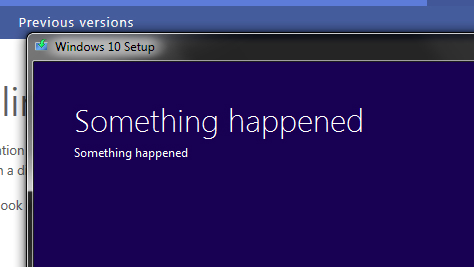
Saw this post about a Windows 10 error message a couple weeks ago on Facebook and laughed my head off.
http://bgr.com/2015/07/30/windows-10-something-happened-error-message/

Microsoft has gone ahead and adopted the Sad Mac philosophy of error handling.
From a consumer's perspective, I guess this yodel is a tad better than Catastrophic Failure and reassures you that something might happen next.
From a developers perspective, you really should have included the bugcheck code, stack trace, or at least some other kind of error identifying the method call you are finally giving up on.
If not, one fix for fellow Canadians installing Windows 10 will be to ensure you meld with our neighbours in the south by selecting English (US) as the regional locale. You selected French (Canada), didn't you?
http://www.technewstoday.com/25375-how-to-fix-something-happened-error-during-microsoft-windows-10-installatio/
Zut alors. Didn't SQL have this issue a few years ago? And Analysis Services?
Sorry MS, as a Windows 10 Insider I did not catch this bug. Actually, I didn't really catch any bugs. My Windows 10 install over the last year was a pleasant surprise, and I expect my main desktop to be upgraded soon. Perhaps my only suggestion would be that if English (Canada) is selected, then error messages should be bilingual. Seems like a waste of the second line of Something happened.
Instead of upgrading him, a family member who I provide tech support for asked me to just hide the "Upgrade to Windows 10" icon for him instead. From a support perspective I though that was wise for now.... I used the scheduled tasks and registry edit methods.
http://www.tenforums.com/tutorials/6596-get-windows-10-icon-remove-taskbar-windows-7-8-1-a.html
A few times in the last year I've encountered various collation issues related to Windows Regional Settings and SQL Server installs, and the defaults MS uses for products like Sharepoint and Reporting Services.
To switch over collation of a single database, you can try this at your own risk.
1. ALTER the database to change the collation (after killing all processes that are using the database and dropping all user defined functions with varchar max that bind to the collation)
2. ALTER the columns (this script may need to be modified to include schema id's when dealing with multiple schemas. This script was tested on SQL 2008 R2.
SELECT 'ALTER TABLE ' + o.NAME + ' ALTER COLUMN '
+ c.NAME + ' ' + t.NAME + '('
+ Cast(c.max_length AS NVARCHAR)
+ ') COLLATE ' + ' Latin1_General_CI_AS ' + CASE WHEN c.is_nullable = 1
THEN
'NULL' ELSE 'NOT NULL' END
+ ';'
--select o.name, c.name, t.name, c.collation_name, c.is_nullable, t.name, c.max_length
FROM sys.objects o
INNER JOIN sys.columns c
ON c.object_id = o.object_id
INNER JOIN sys.types t
ON t.user_type_id = c.user_type_id
WHERE c.collation_name IS NOT NULL
AND o.type = 'u'
http://bgr.com/2015/07/30/windows-10-something-happened-error-message/
Microsoft has gone ahead and adopted the Sad Mac philosophy of error handling.
From a consumer's perspective, I guess this yodel is a tad better than Catastrophic Failure and reassures you that something might happen next.
From a developers perspective, you really should have included the bugcheck code, stack trace, or at least some other kind of error identifying the method call you are finally giving up on.
If not, one fix for fellow Canadians installing Windows 10 will be to ensure you meld with our neighbours in the south by selecting English (US) as the regional locale. You selected French (Canada), didn't you?
http://www.technewstoday.com/25375-how-to-fix-something-happened-error-during-microsoft-windows-10-installatio/
Zut alors. Didn't SQL have this issue a few years ago? And Analysis Services?
Sorry MS, as a Windows 10 Insider I did not catch this bug. Actually, I didn't really catch any bugs. My Windows 10 install over the last year was a pleasant surprise, and I expect my main desktop to be upgraded soon. Perhaps my only suggestion would be that if English (Canada) is selected, then error messages should be bilingual. Seems like a waste of the second line of Something happened.
Instead of upgrading him, a family member who I provide tech support for asked me to just hide the "Upgrade to Windows 10" icon for him instead. From a support perspective I though that was wise for now.... I used the scheduled tasks and registry edit methods.
http://www.tenforums.com/tutorials/6596-get-windows-10-icon-remove-taskbar-windows-7-8-1-a.html
A few times in the last year I've encountered various collation issues related to Windows Regional Settings and SQL Server installs, and the defaults MS uses for products like Sharepoint and Reporting Services.
To switch over collation of a single database, you can try this at your own risk.
1. ALTER the database to change the collation (after killing all processes that are using the database and dropping all user defined functions with varchar max that bind to the collation)
2. ALTER the columns (this script may need to be modified to include schema id's when dealing with multiple schemas. This script was tested on SQL 2008 R2.
SELECT 'ALTER TABLE ' + o.NAME + ' ALTER COLUMN '
+ c.NAME + ' ' + t.NAME + '('
+ Cast(c.max_length AS NVARCHAR)
+ ') COLLATE ' + ' Latin1_General_CI_AS ' + CASE WHEN c.is_nullable = 1
THEN
'NULL' ELSE 'NOT NULL' END
+ ';'
--select o.name, c.name, t.name, c.collation_name, c.is_nullable, t.name, c.max_length
FROM sys.objects o
INNER JOIN sys.columns c
ON c.object_id = o.object_id
INNER JOIN sys.types t
ON t.user_type_id = c.user_type_id
WHERE c.collation_name IS NOT NULL
AND o.type = 'u'
Wednesday, July 29, 2015
Ninite - mass installer
https://ninite.com/ is a pretty awesome installer to build up a new PC. Fresh install of Windows 10? Check off Classic Start Menu and whatever optional software you want...
Ninite will
- start working as soon as you run it
- not bother you with any choices or options
- install apps in their default location
- say no to toolbars or extra junk
- install 64-bit apps on 64-bit machines
- install apps in your PC's language or one you choose
- do all its work in the background
- install the latest stable version of an app
- skip up-to-date apps
- skip any reboot requests from installers
- use your proxy settings from Internet Explorer
- download apps from each publisher's official site
- verify digital signatures or hashes before running anything
- work best if you turn off any web filters or firewalls
- save you a lot of time!
Wednesday, February 11, 2015
Kerberos & Web Site
Sometimes all you need is one tool for a tough job. If you're setting up Kerberos, that tool is the Kerberos Delegation Config & Report.
http://www.iis.net/downloads/community/2009/06/delegconfig-v2-beta-(delegation-kerberos-configuration-tool)
http://blogs.iis.net/brian-murphy-booth/archive/2007/03/09/the-biggest-mistake-serviceprincipalname-s.aspx
http://www.iis.net/downloads/community/2009/06/delegconfig-v2-beta-(delegation-kerberos-configuration-tool)
http://blogs.iis.net/brian-murphy-booth/archive/2007/03/09/the-biggest-mistake-serviceprincipalname-s.aspx
Monday, November 03, 2014
DOS tricks & tips
Because sometimes simplicity is best.
type *.csv >> data.txt - consolidate multiple files to a single file
copy a.csv + b.csv c.csv - consolidate multiple files to a single file
http://www.powerpivotpro.com/2012/09/combine-multiple-worksheetsworkbooks-into-a-single-powerpivot-table/Date formatting
Subscribe to:
Posts (Atom)

